
Download CashFlow Manager – personal finance, business expenses, income tracking, expense tracking, tax deductions, receipt scanner, mileage tracker, financial management, cashflow tracker, free finance app
Overview
CashFlow Manager is a free Android application developed by myEcon Inc., designed to assist users in managing both personal and business finances. The software serves as a comprehensive cashflow tracking solution, enabling individuals and small business owners to record, organize, and store financial transactions digitally. By centralizing income and expense data, it simplifies the process of monitoring financial health and preparing for tax obligations. The app is particularly useful for those who need to track deductible business expenses and maintain accurate records for tax reporting.
Target users include freelancers, small business owners, and individuals managing multiple financial streams. Its ability to handle both personal and business finances within a single interface makes it ideal for users with hybrid income sources. The app supports the digital capture and storage of receipts, reducing reliance on physical documentation.
This feature helps prevent loss or misplacement of important financial records. Additionally, the platform allows for the management of multiple businesses under one account, which is beneficial for entrepreneurs with diverse ventures. The developer did not provide additional system requirements or performance benchmarks.
Key Features & Capabilities
- Income and Expense Tracking: Users can log all sources of income and expenditures, with support for both business and personal use. This dual-purpose functionality ensures comprehensive financial visibility.
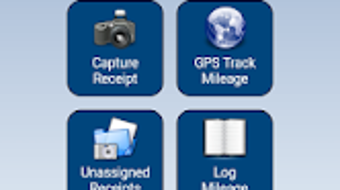
- Receipt Scanning and Storage: The app enables users to capture receipts via smartphone camera and store them securely online, eliminating the need for paper records.
- Customizable Categories: Pre-set and user-defined income and expense categories allow for accurate transaction classification and easier reporting.
- Multiple Business Management: A single account can track financials across several business entities, streamlining oversight for multi-venture entrepreneurs.
- Recurring Entry Automation: The app supports automatic entry of regular transactions such as rent, subscriptions, or payroll, reducing manual input and minimizing errors.
- GPS-Based Mileage Tracker: Automatically records travel distances using GPS, simplifying the calculation of deductible mileage for business-related trips.
These features collectively support efficient financial oversight, especially during tax season. For example, a freelancer managing two side businesses can use the app to categorize earnings, scan receipts, and track mileage in real time. The integration of automated entries and digital receipts reduces administrative burden and improves accuracy in financial reporting.
User Interface, Workflow & Performance
CashFlow Manager features a clean, intuitive interface optimized for mobile use. Navigation is structured around core functions—Income, Expenses, Receipts, and Mileage—allowing users to access key tools with minimal taps. The workflow is designed to guide users through the process of logging transactions, capturing receipts, and reviewing financial summaries. While specific UI details such as color schemes or layout structure are not provided, the app appears to prioritize usability for non-technical users.
Performance observations are based on general software behavior patterns. The app is designed to operate efficiently on Android devices, with a file size of 45.2 MB, suggesting a lightweight footprint. The developer did not specify resource usage details such as CPU or RAM consumption. Stability and responsiveness are expected to align with standard Android application standards, though real-world testing data was not included. Offline functionality is not explicitly mentioned, but the app’s reliance on online storage implies that internet access is required for full functionality.
Compatibility & System Requirements
CashFlow Manager is compatible with Android devices and is available for download on the Google Play Store. The software version is 1.5.0, released on August 12, 2023. The installation size is 45.2 MB, indicating a relatively compact download. The developer did not specify exact system requirements, including minimum Android version or hardware specifications. Compatibility information was partially provided, and users are advised to check their device’s operating system version for optimal performance.
While the app is designed for mobile use, it does not support desktop platforms such as Windows or Mac. Users seeking cross-platform access may need to rely on web-based alternatives or cloud synchronization, though this is not confirmed. The lack of detailed hardware or OS version requirements means that compatibility may vary depending on device capabilities.
Pros and Cons
Pros
- Free to download and use, making it accessible to budget-conscious users.
- Supports both personal and business financial tracking in one interface.
- Receipt scanning and online storage reduce the risk of losing important documents.
- Automated recurring entries save time and reduce manual input errors.
- GPS mileage tracker simplifies tax deductions for business travel.
- Multiple business management within a single account.
Cons
- Available only on Android, limiting access for users on other platforms.
- Exact system requirements were not listed, which may affect compatibility.
- Performance details such as CPU or RAM usage were not provided.
- Reliance on online storage may raise privacy concerns for some users.
- Offline functionality is not confirmed, which could be a limitation for users without consistent internet access.
FAQ Section
Is CashFlow Manager available for Windows or Mac?
CashFlow Manager is currently available only for Android devices. There is no official desktop version for Windows or Mac.
Is the app secure for storing financial data?
The app stores data online, which implies encryption and secure transmission. However, specific security protocols were not disclosed by the developer.
Can I use CashFlow Manager offline?
While the app supports digital record-keeping, offline functionality is not confirmed. Internet access is likely required for full operation, especially for syncing receipts and financial data.
How often are updates released?
The latest version, 1.5.0, was released on August 12, 2023. The update frequency is not specified, but users are encouraged to keep the app updated for optimal performance.
Is there a license or subscription required?
CashFlow Manager is free to download and use. There is no mention of a paid subscription or in-app purchases in the provided information.
Final Thoughts
CashFlow Manager offers a practical, no-cost solution for individuals and small business owners seeking to simplify their financial tracking. Its core features—receipt scanning, income and expense categorization, recurring entries, and mileage tracking—address common pain points in personal and business finance management. The ability to manage multiple businesses within a single account adds significant value for multi-venture entrepreneurs. While platform limitations restrict access to Android users only, the app’s lightweight design and free pricing make it a compelling choice for those in need of reliable financial oversight.
For users managing both personal and business finances, especially those who rely on digital documentation and travel deductions, CashFlow Manager delivers tangible benefits. It streamlines tax preparation and enhances financial transparency. Download CashFlow Manager now.







